Verified October 17, 2026 against Sitecore's and Microsoft's own documentation.
Sitecore in Plain Words, the series:
- Sitecore in Plain Words: XM or XP, Where Does It Run, and Who Runs What?
- What Is the Difference Between Sitecore XM and XP?
- Where Can Sitecore Run? Six Hosting Models, Layer by Layer
- Who Looks After What in Each Sitecore Hosting Model?
- Why Does Sitecore Need More Than One Server, and What Is Headless?
- Will Your Sitecore Version Lose Support, and Should You Upgrade or Migrate?
Six ways, one stack: what changes is who looks after it
Sitecore XM and XP can run on your own servers (on-premises), on Azure virtual machines (IaaS), on Azure App Service (PaaS), in containers on Azure Kubernetes Service, or on Sitecore's Managed Cloud. SitecoreAI is the sixth option: Sitecore's SaaS platform, where Sitecore runs everything. Every model is the same stack of layers, from the data center at the bottom to your content at the top.
Your own servers, or Azure virtual machines
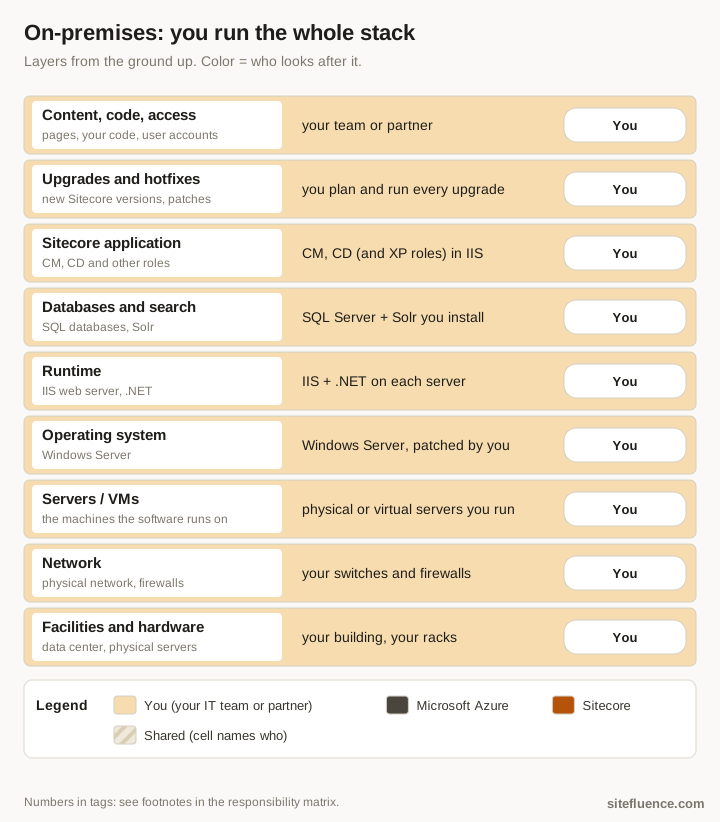
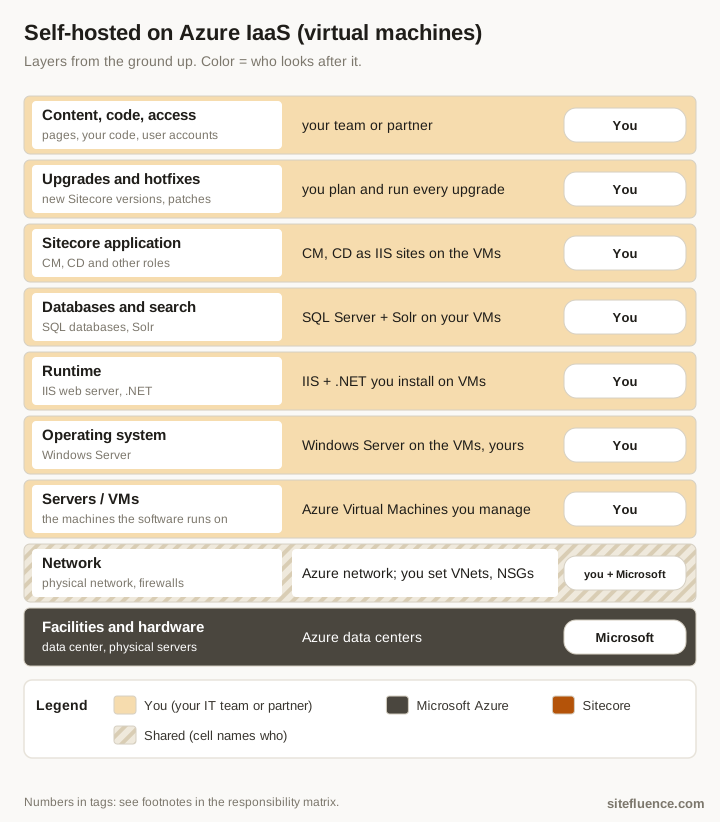
Microsoft's shared responsibility model sets the split for Azure: with virtual machines (IaaS) you manage the VMs, operating system and applications.1 On-premises, every layer is yours.
Azure App Service, or containers on AKS
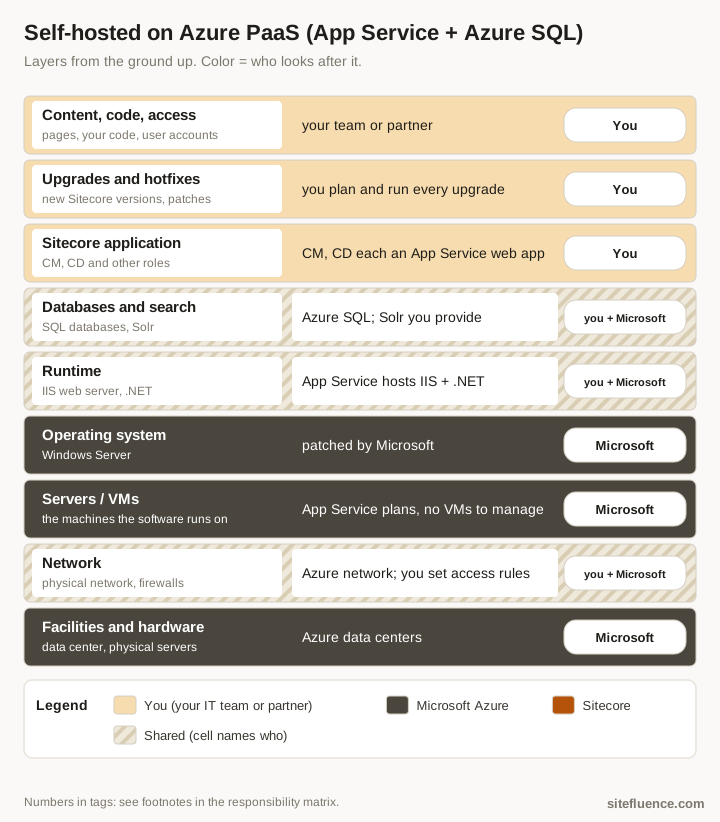
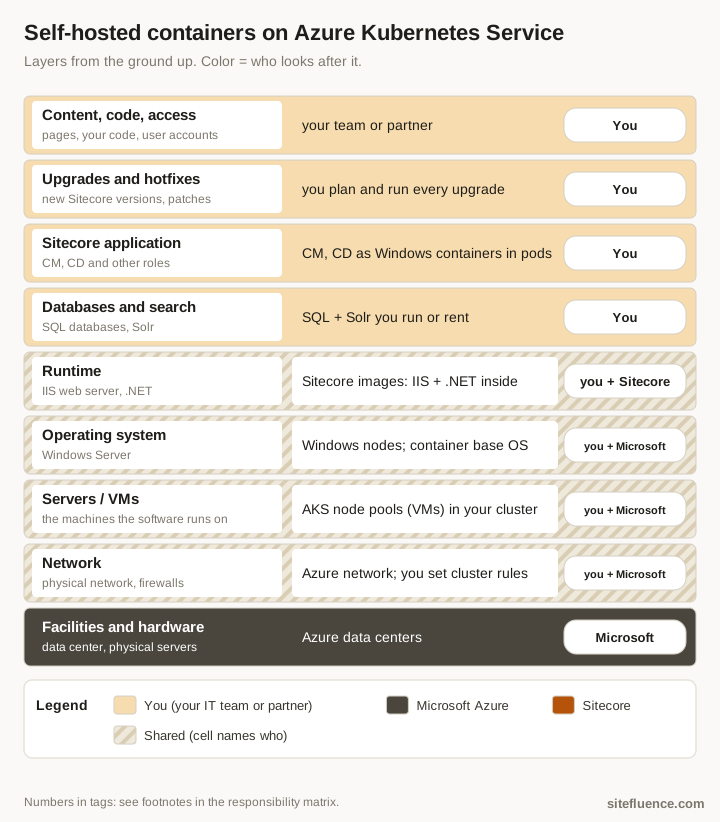
With App Service (PaaS) Microsoft runs the machines and operating system.1 Sitecore's Azure guide deploys CM and CD as App Service web apps on Azure SQL, with Solr as the only supported search provider.2 With containers, Sitecore publishes the images and you run them.
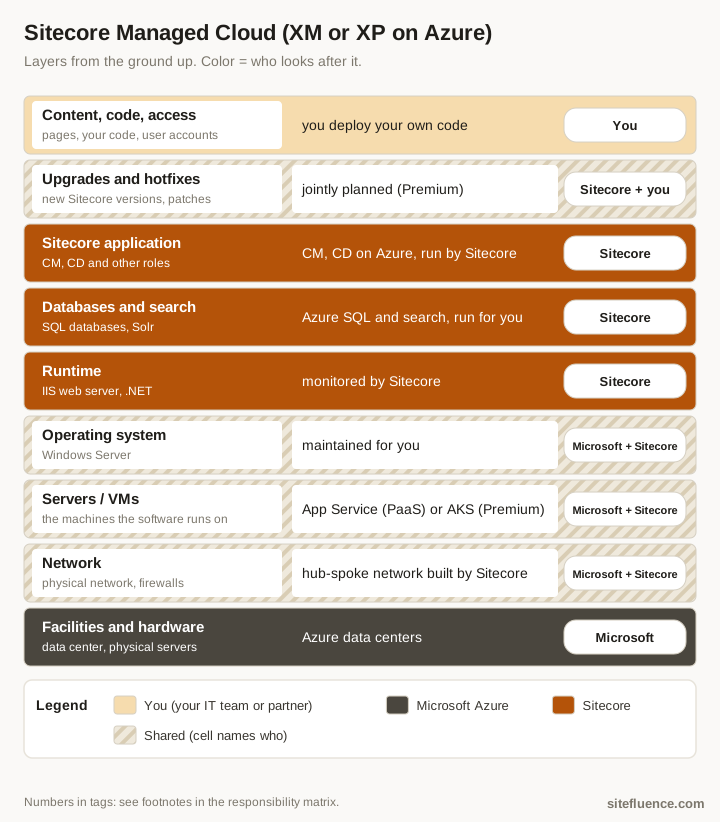
Managed Cloud: Sitecore runs your Azure setup
Managed Cloud is Sitecore's hosting service for XM and XP on Azure. Sitecore states it "actively monitors, manages, and maintains both the infrastructure and the applications", on App Service (PaaS) or, in the Premium tier only, on Kubernetes. In Premium, upgrade planning and hotfixes are jointly owned with you.3
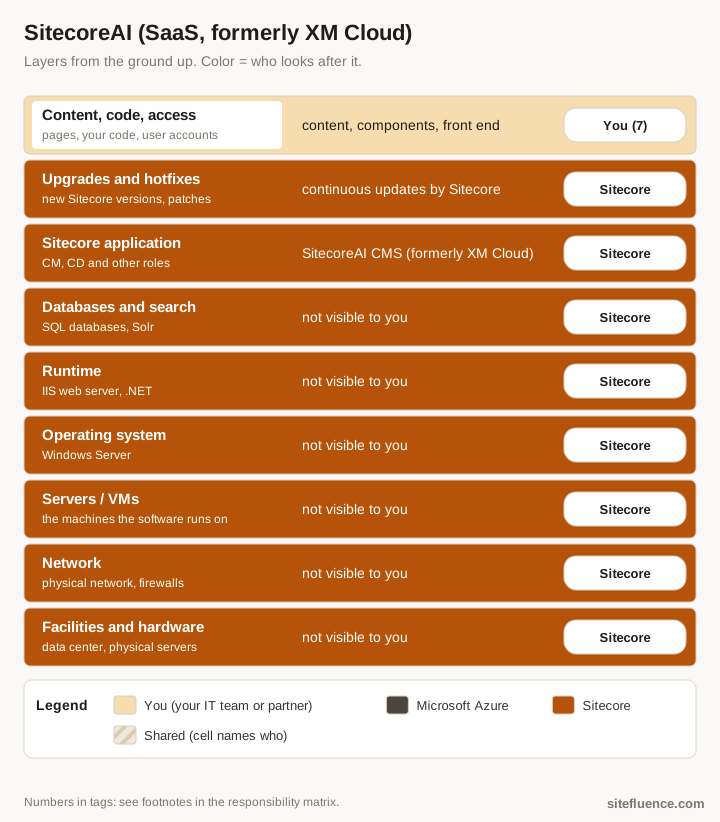
SitecoreAI: Sitecore runs every layer
SitecoreAI is Sitecore's name today for its SaaS platform; its content management part, SitecoreAI CMS, was formerly called XM Cloud.4 You own content, components and your front-end app. Part 4 puts all six side by side.
References
Footnotes
-
Microsoft Learn. "Shared responsibility in the cloud" ↩ ↩2
-
Sitecore docs. "Walkthrough: Deploying a new Sitecore environment to the Microsoft Azure App Service" ↩
-
Sitecore docs. "Introduction to Managed Cloud" and "Managed Cloud PaaS" ↩
-
Sitecore. "Migrating to SitecoreAI CMS (formerly XM Cloud)" ↩