Have you ever reported a bug to your implementation agency and watched it turn into a week of email? You send a quick note that something is broken. A day later they reply, not with a fix, but with a question: which browser? Can you send a screenshot? What were you doing when it happened? Every reply costs you another day, and the thing is still broken.
If you are a founder or a non-technical owner paying an agency to build and run your site, this one is for you. There are two reasons you get the runaround. Only one of them is your fault, and both get shorter when you file the bug the right way.
Deciding how to get it built? The free Vibe Code or Hire a Developer assessment scores your project in 8 questions and tells you whether to vibe code it, use a site builder, hire, or split the work.
The stall you cannot control
Most agencies work to a response-time commitment, something like "we reply within one business day." When a team is slammed, that number quietly stops being a promise and becomes a countdown. A low-effort first reply ("Can you send the logs?" or "Which browser was this on?") resets the clock and buys them time before anyone has to actually look at your problem.
You cannot fully control whether an agency plays that game. What you can control is leaving them nothing trivial to ask. If your very first message already answers every obvious question, the fastest path for them is to stop stalling and fix the bug.
The details only you can give them
The second reason is legitimate. A report that just says "the checkout is broken" genuinely cannot be worked on. Before anyone can reproduce the problem, they need to know a few things that only you can see:
- On a web app, was it on desktop, tablet, or mobile?
- Which browser: Chrome, Edge, Firefox, Safari?
- Which page, exactly?
- What did you do right before it broke?
- What did you see, and what did you expect to see instead?
Every one of those unknowns is a separate round-trip email. Five unknowns can turn a ten-minute fix into a week of back-and-forth. Answer them all up front and you collapse that week into a single ticket.
The template that ends the back-and-forth
Most agencies will hand you a bug template, or you can build one together. If they do not have one, use this. It works for any web-based site or app. Copy it, fill it in, send it.
- Title: describe the bug in under 10 words
- Page URL: the exact address where it happens
- Browser: Chrome, Edge, Firefox, Safari, and so on
- Screen: desktop, tablet, or mobile
- Steps to reproduce: number them, exactly what you did
- What I see now: what actually happens
- What I expected: what should have happened instead
- Screenshot or screen recording: attach one if you can
That last line is the one that changes everything. A ten-second screen recording of the bug happening, or even a single screenshot with the broken part visible, often tells a developer more than three paragraphs of description ever could. Every phone and computer can record its own screen now. If you can capture the bug in the act, always attach it.
None of this is just my preference. It is the same core information Atlassian1 and Microsoft2 tell their own engineering teams to capture in a bug report.
What a good one looks like
Here is the template filled in. Notice there is nothing left to ask. Someone can read this, open that page on a phone in Chrome, and see the problem in under a minute.
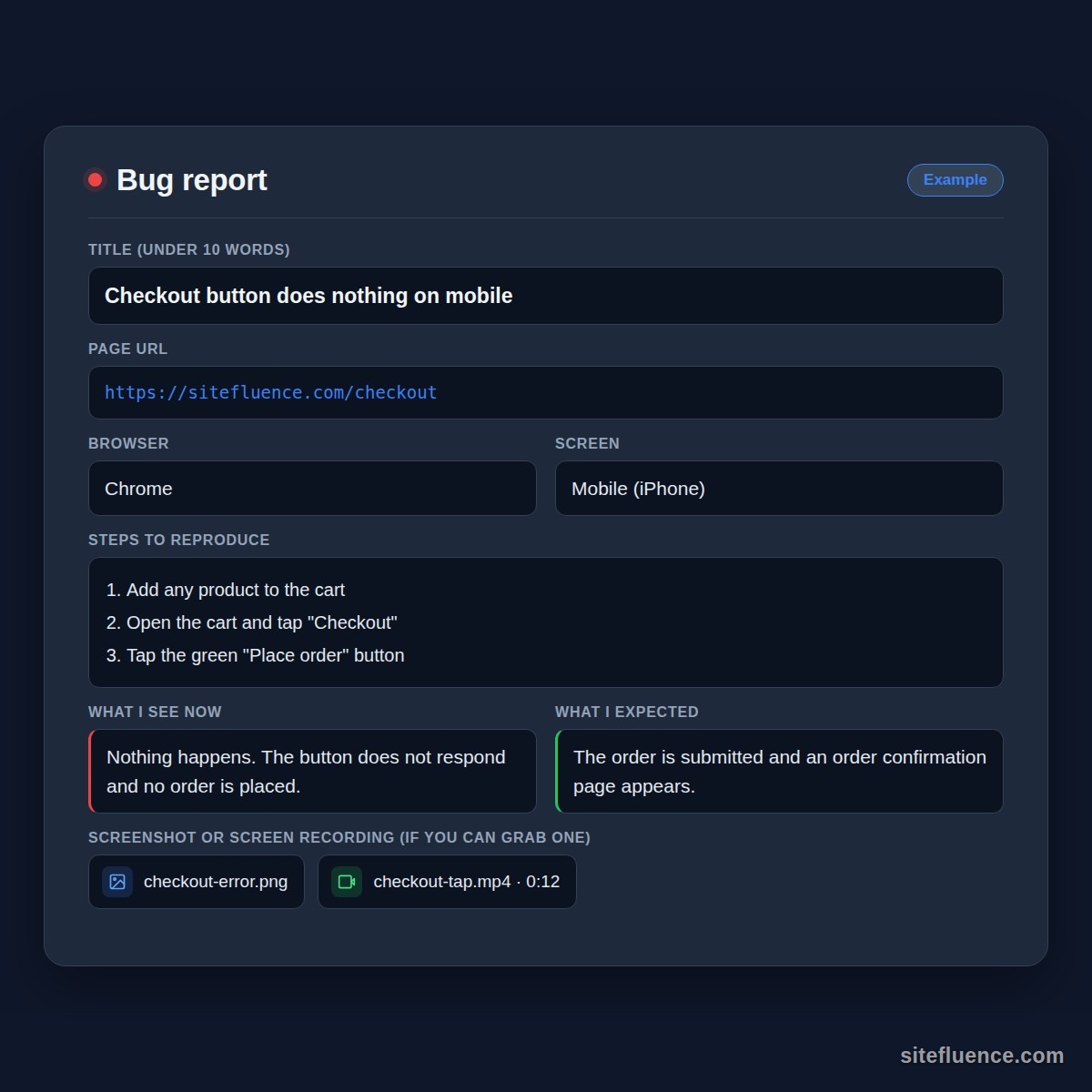
File it like this and you skip both the stall and the twenty questions. Your agency gets everything it needs in one message, and you get your fix in one reply instead of ten.
References
Footnotes
-
Atlassian. "Bug report template" ↩
-
Microsoft Learn. "Define, capture, triage, and manage bugs in Azure Boards" ↩