Install Stylus, paste a small CSS snippet, done
Telegram Web keeps every chat in a narrow centre column, so long replies from your AI assistant wrap into tall, skinny bubbles while half the screen stays empty. Install the free Stylus browser extension, add a style for web.telegram.org, and paste a few lines of CSS that widen the chat column and the message bubbles. Reload the tab. The same conversation now fills your laptop screen.
Why Telegram for an AI assistant
In our own setup, Telegram has been the most stable channel for talking to personal AI assistants such as Hermes and OpenClaw. Bots are free to create, messages arrive on every device, voice notes and files just work, and approvals can be a single 👍. The weak spot is the desktop web app, which was designed for short chat lines, not agent reports.
Before and after
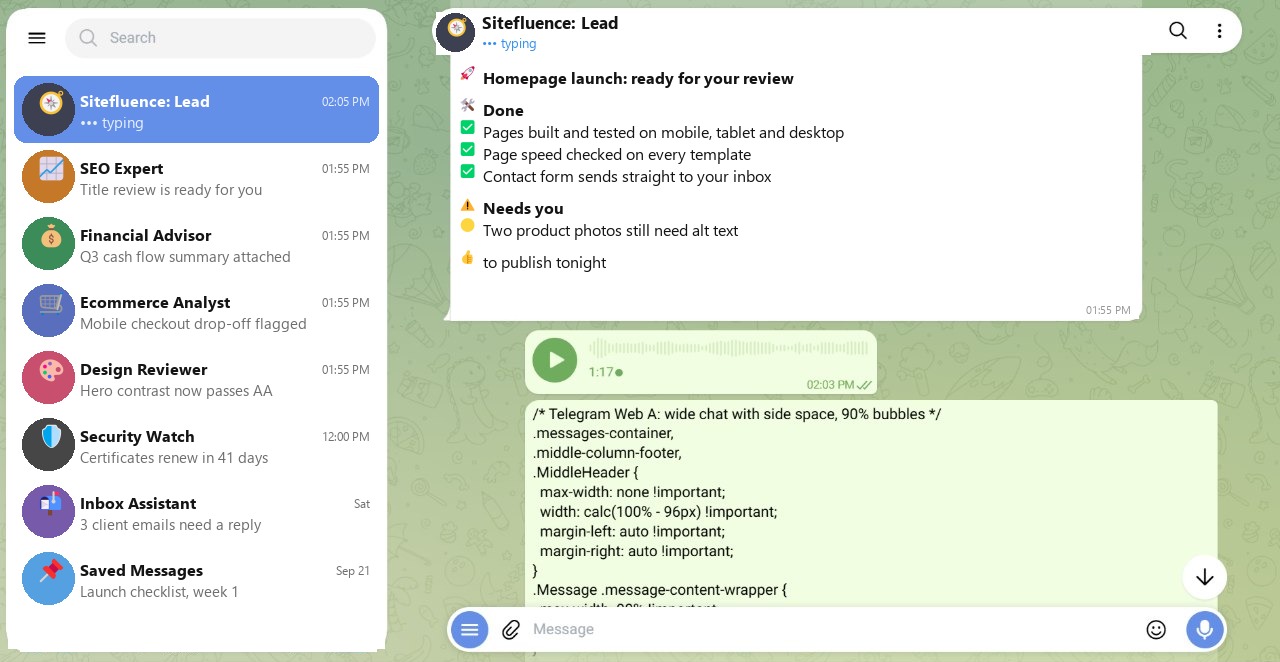
Before, on this 1280-pixel-wide window, the chat sits in a column about 540 pixels wide, and the code sample wraps after a few words. A status report with a few sections turns into a long scroll.
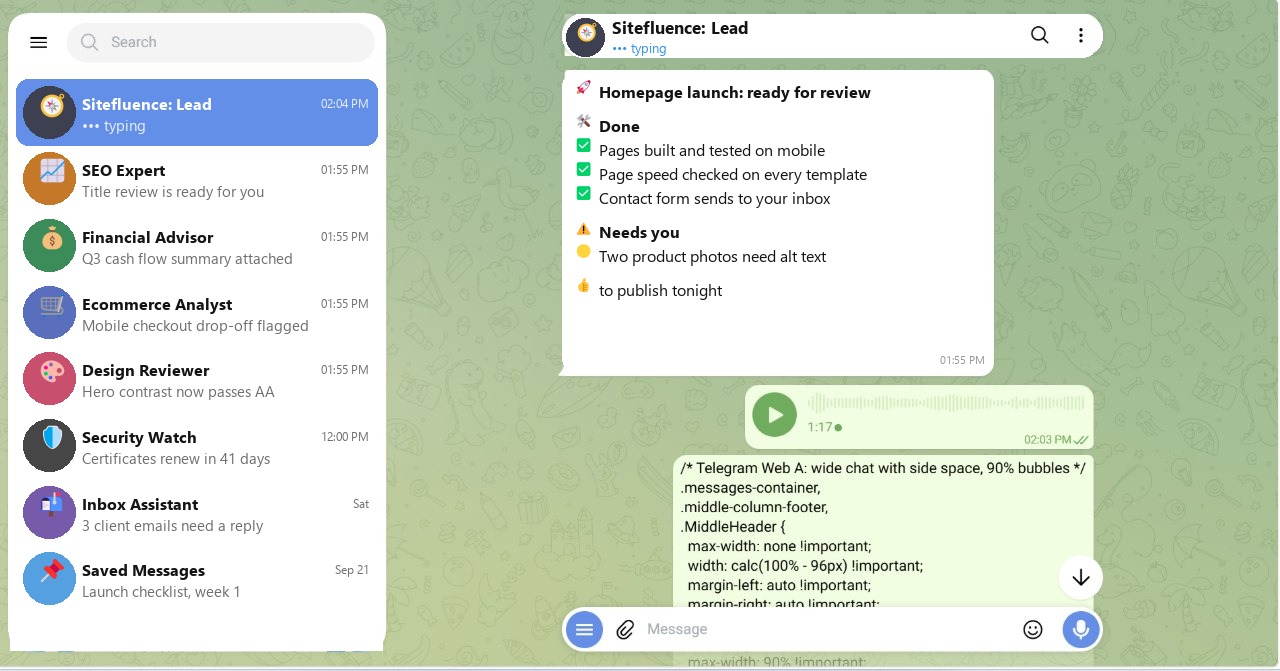
After, the column spans the window with a small margin on each side, and bubbles use 90 percent of it. You read a whole report at a glance, and your own messages still sit on the right, so the conversation stays easy to follow.
The steps
- Install Stylus from your browser's extension store.
- Open Telegram Web, click the Stylus icon, and create a new style for
web.telegram.org. - Paste the CSS below, save, and reload Telegram.
/* Telegram Web A: wide chat with side space, 90% bubbles */
.messages-container,
.middle-column-footer,
.MiddleHeader {
  max-width: none !important;
  width: calc(100% - 96px) !important;
  margin-left: auto !important;
  margin-right: auto !important;
}
.Message .message-content-wrapper {
  max-width: 90% !important;
  width: 90% !important;
}
.Message .message-content.text {
  max-width: 100% !important;
  width: 100% !important;
}
.Message .message-content:not(.text) {
  max-width: 100% !important;
}
When Telegram changes its layout
Telegram updates its web app, and class names like .messages-container can change without notice. The snippet is not the point; the process is. If the style stops working, take a screenshot, give it to your AI assistant, and ask it to write fresh Stylus CSS for the current Telegram Web layout. Paste the new version into the same style, and you are back in a minute.